this deep dive we explore how to use the Overpass API and query language to extract OpenStreetMap geospatial data.
Content
OSM and the OverPass API

In this deep dive we explore the Overpass API in some detail. The topics we will cover are as follows:
- Introducing the OpenStreetMap (OSM)
- The OSM data model
- Comparing the OSM geometry elements to the GeoJSON specification
- Introducing the Overpass API
- Setup of the Overpass Turbo Web interface
- Overview of the OQL Language
- Overpass API Settings
- Overpass Query Bounding Boxes
- Overpass QL Set Operations
- Recursive Operations
- Filtering for OSM Tags
- Configuring Output Statements
Who Is This Course For
The course is useful to:
- Data Scientists / Data Engineers that want to work with OSM data
How Does The Course Help
Mastering the course content provides background knowledge towards the following activities:
- Understanding the OSM data model
- Understanding the Overpass API / DSL
- Designing effective queries to retrieve desired OSM data subsets
What Will You Get From The Course
- You will be able to confidently approach tasks involving extraction of OSM geospatial data
- You will be able to contribute to the specific use cases mentioned above
Course Level and Type
This course is part of the Data Engineering family.
- This is a Core Level course in Data Engineering, which means that good grounding at Introductory level to various data engineering topics (understanding schemas, query languages, basic data structures) is a prerequisite for making the most out of this course.
- This is a Technical course which means various technology elements (programming languages, data formats, databases) are needed as background for mastering the material.
| Introductory Level | Core Level | Advanced Level | |
| Non-Technical | |||
| Technical | DAT38096 |
If you have not taken an Open Risk Academy course before, the CrashCourse Academy Demo provides a quick overview of the Academy.
What is not covered
- Not a course about using OpenStreetMap (e.g., to add data) or the details of the OSM data model
- Not a course about the web interface (Overpass Turbo), except insofar as we use it for Web-based interface examples. Overpass Turbo provides and number of handy shortcuts (for example for defining a bounding box), but they are conditional on using the Web interface
- Not about the C++ code base of the Overpass API (and possible extensions or modifications)
Course Material
The course material comprises the following:
- Twelve online readings
- Embedded exercises dispersed in each section
Time Requirements and Important Dates
- The course is self-paced and can be undertaken at any point. Depending on your background knowledge and familiarity with the tools used it might require a commitment of about two days total.
Where To Get Help
If you get stuck on any issue with the course or the Academy:
- If the issue is related to the course topics / material, check in the first instance the Course Forum (Chat)
- If the issue is related the operation of the Open Risk Academy check first the Academy FAQ.
- If the issue persists contact us at info at openriskmanagement dot com
What we will cover
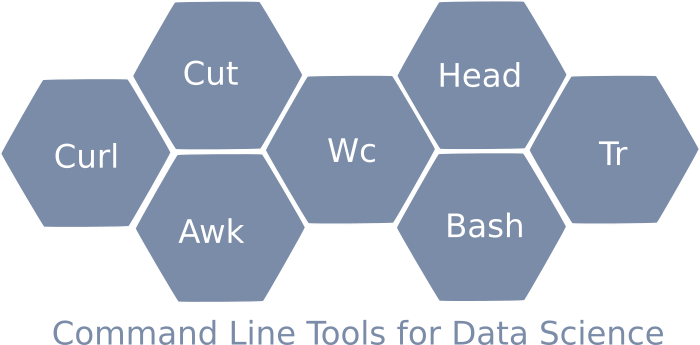
In this course we explore a number of Linux command line tools (CLI):
- Bash scripting
- Several basic CLI commands (ls, cd, etc.)
- file manipulation oriented CLI commands such as head, cut, wc
- the awk programming language and scripting
We will apply these in a very concrete context: large matrix files that form part of various economic input-output models.
Pre-Requisites
Basic knowledge of and a working setup of a Linux or Linux-like development environment (including working with a shell and a text editor) is essential. Any standard Linux distribution should work (Using WSL on Windows machines) and MacOS as well (possibly with the installation of GNU tools).
Some exposure to scripting and any general purpose programming language (E.g., Python, Javascript, C++, Java) is required for understanding the scripts and work through the awk exercises.
The course derives motivation from the large matrix data processing task. Hence, some idea of what a matrix is and why it is relevant to know how to work with them is assumed, but it is not required for completing the course as we do now go into any mathematical aspects of matrices.
Table of Contents
Step 1
- Motivation for Command Line tools
- Overview and Setup of CLI Tools
- A hello world in Awk
Step 2
- Downloading Data: Using command line tools to get published matrix data stored in local disk
- Extracting Data: verify we have downloaded correct datasets and (if necessary) bring to a shape that makes it usable (e.g. uncompressing it)
Step 3
- Scanning Data Files: get a first high level view of what sort of files we have downloaded
- Figuring out Structure and Dimensions: understand structure of the file (separators, total number of rows and columns involved and their nature).
Step 4
- Scrubbing / Cutting / Reshaping: create clean files where matrix data with a known number of rows and columns are stored in tab separated ascii format.
- Transformations: Perform simple mathematical transformations and statistical operations. Investigate the degree to which matrix values are non-trivial (non-zero)
This course offers a brief introduction to the Copernicus Satellite Data Ecosystem.

Course Content:
This course is an introduction to Tensor calculations with Eigen, a popular C++ library for working with numerical arrays and linear algebra. It covers the following topics:
- We learn the concept and techniques of the Eigen Tensor class
- How to declare, initialize Tensors of various ranks and types and how to access Tensor elements
- Elementary unary and binary operations involving Tensors
- More complex operations (reductions, contractions)
- Modifying the shape of Tensors
Who Is This Course For:
Developers in any Domain that need to use higher-dimensional numerical data containers
- Statistical Calculations
- Machine Learning
How Does The Course Help:
Eigen is a fairly large library. The course aims to:
- Introduce the Tensor part of the library and its purpose
- Sketch its overall structure and functionality
- Familiarize with the common usage patterns (API's)
What Will You Get From The Course:
- You will be able to confidently use Eigen::Tensor to solve common numerical processing tasks, in particular those requiring standard manipulation of tensors
- You will be able to contribute to the specific use cases mentioned above
Course Level and Difficulty Level:
This course is part of the Data Science family.
- This is a Core Level course in Data Science, which means that good grounding at Introductory level to various Data Science topics is a prerequisite for making the most out of this course.
- This is a Technical course which means certain mathematical (linear algebra) and/or technology elements (C++) are assumed as known before one can master the course material.
Advanced material not covered here:
- Memory layouts (how numerical data are stored in memory) and the performance implications
- Extending Eigen (in particular the C-API's)
- Numerical algebra / scientific computing concepts beyond what is needed to understand the core Eigen::Tensor functionality
If you have not taken an Open Risk Academy course before the "CrashCourse Academy Demo" provides a quick overview of the Academy.
The following table places the course in the Open Risk skills diagram:
| Introductory Level | Core Level | Advanced Level | |
| Non-technical | |||
| Technical | DAT31071 |
Course Material:
The course material comprises the following:
- 14 interactive readings
- Embedded exercises based on the daily material
Time Requirements and Important Dates
- The course is self-paced and can be undertaken at any point. It requires a commitment of about one or two days total, depending on your familiarity with linear algebra and C++.
Where To Get Help:
If you get stuck on any issue with the course or the Academy:
- If the issue is related to the course topics / material, check in the first instance the Course Forum
- If the issue is related the operation of the Open Risk Academy check first the Academy FAQ. If the issue persists contact us at info@openrisk.eu
Summary:
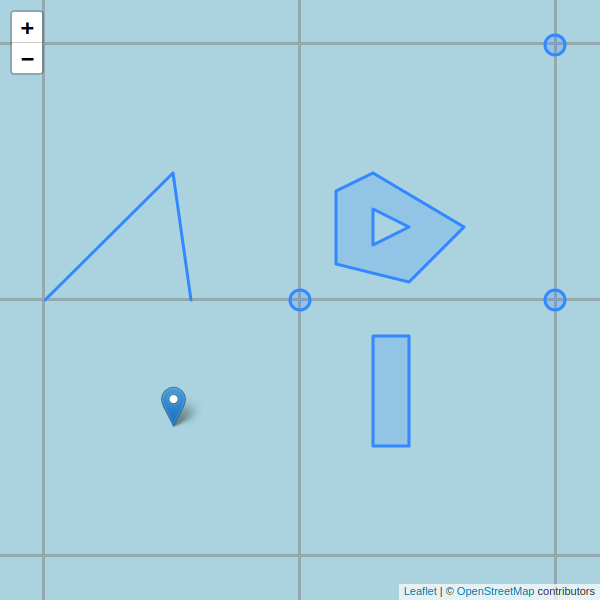
This course is a CrashProgram (short course) introducing the GeoJSON specification for the encoding of geospatial features. The course is at an introductory technical level. It requires some familiarity with data specifications such as JSON and a very basic knowledge of Python
Brief Description
- Step 1: In this first step of the course we start with a high level review of GeoJSON.
- Step 2: In this step we review the elements of the GeoJSON specification in some detail with examples.
- Step 3: In this step we will go over the basics of using geojson in python.
- Step 4: In this final step we cover a number of special topics that are quite useful to be aware of.
Course Level and Type:
| Introductory Level | Core Level | Advanced Level | |
| Non-Technical | |||
| Technical | CrashProgram DAT31053 |